
Add all your employees, temporary staff, suppliers, and contractors to distribute all the H&S information required to ensure company compliance.
Add all your users’ training records
- Click User > Edit and scroll down to the User Accreditation section
- Enter the name of the certificate or award.
- Select the date achieved, tick the box if the award has no expiry.
- Select the date of expiry.
- Browse the file to upload.
- Enter any specific notes you feel will help.
- The expiry date is used so Safety PAL can notify you 60 days before the date of the expiry.
- Save, the record and document will show in the uploaded information box on the right.
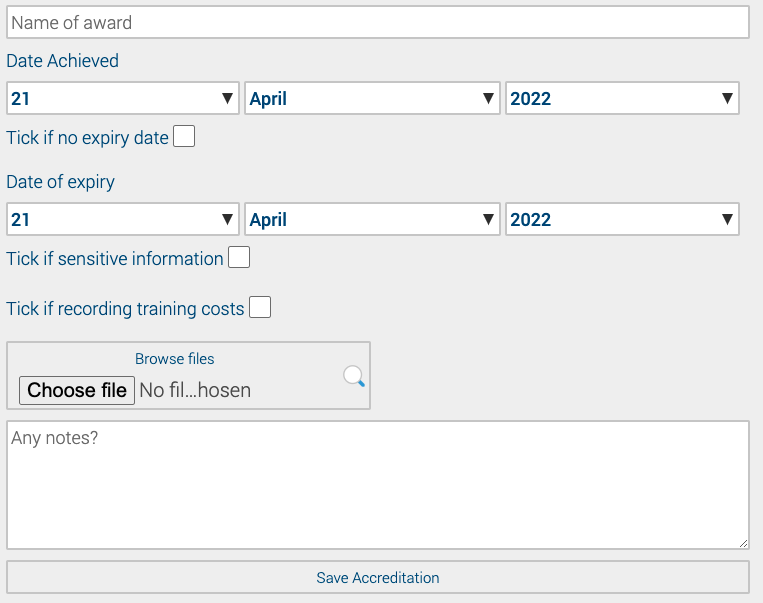
If the document or information you are uploading is ‘Sensitive Information’ then tick the sensitive information box.
Anything which has been ticked as ‘Sensitive Information’ will only be able to be viewed by the user whose information it is and an account administrator.
For more information on ‘Users’ click here