
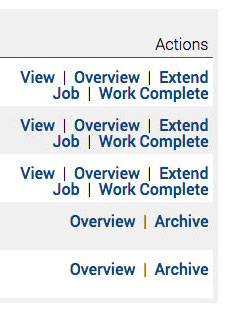
Actions and Options for every job are found on the right of the Jobs page.
Click Jobs from the left-hand menu to see the Jobs page.
To complete
A draft job awaiting further information
Delete draft: You can only delete if a job has not progressed.
View
Click to enter the job details page to add workers and upload and approve documents.
Overview
Safety PAL collates all information into a common place for a full overview of that job.
Extend a job
You can extend the job and the associated Permit To Work if the job date exceeds. Use the notes section to record reasons.
To be cancelled
If the job was set up in error or is not to be progressed, Safety PAL gives you the option to cancel.
Job confirmed
This shows you the state of job document approvals.
RA: Risk Assessment – Approved/Not yet uploaded
MS: Method Statement- Approved/Not yet uploaded
Pending: Pending approval of the uploaded document
Cancel / Archive
Once you click the option to archive after cancelling or closing, you will be presented with an optional notes box. Add further job notes or relevant information you require to help further audits or checks at a later date.
We recommend archiving jobs that are no longer live or waiting to be approved and completed; this streamlines the loading of job pages, job views, and general job management.