
Why wait for people to attend site to inform them of important hazards? Now you can make everyone fully aware of dangers before they arrive, increasing safety and productivity at the same time!
In the left-hand menu, click Sites and then Add New Site.
On the add new site page fill in the text fields…
- The Work Site’s Name
- If you’re not the site manager, enter the Site Manager’s Email Address and Telephone number
- Address fields
Upload an image
Browse or Drag an image of your Site, any image will work but simple maps or plain aerial photos work best.
Once your image has been uploaded click Next.
Creating Work Zones
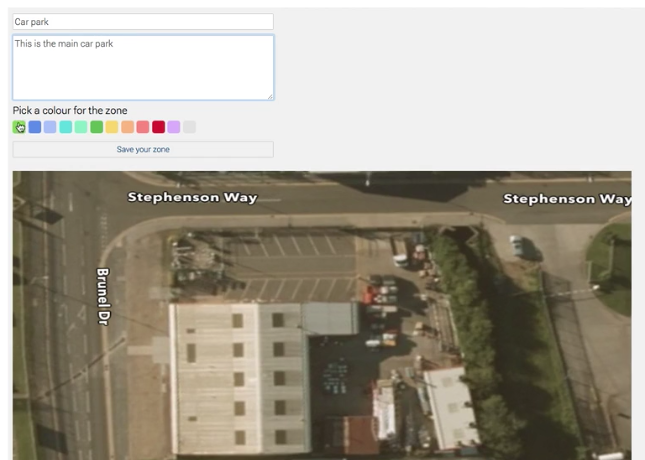
Next, we’re going to draw different coloured zones onto the work site, to clearly define where on the site various jobs and hazards are.
- Give your zone a name and a short description.
- Pick and colour and then draw your zone by clicking/tapping on the Site image.
- Click Save your zone.
Editing Zones and Adding Hazards
Add additional information, potential hazards or other Safety Alerts is easy.
Click on the Info Icon on the Zone you want to edit.
In the preview box, click Edit.
On the Left, you can change the Zone’s name and description, and map colour.
On the Right, you can add a potential hazard.
Hazard Details
- Give the Hazard a name.
- A description / details.
- Upload upto 2 files to further explain, images and PDFs can be uploaded.
- Click Save Hazard.
These will now all be available to easily view on the Work Site.