
PUWER places duties on people and companies who own, operate or have control over work equipment
If your business or organisation uses work equipment or provides work equipment for others (e.g. for hire), you must manage the risks from that equipment. This means you must:
- Ensure the equipment is constructed or adapted to be suitable for the purpose it is used or provided for
- Take account of the working conditions and health and safety risks in the workplace when selecting work equipment
- Ensure work equipment is only used for suitable purposes
- Ensure work equipment is maintained in an efficient state, in efficient working order and in good repair
- Where a machine has a maintenance log, keep this up-to-date
For other items, please refer to Provision and Use of Work Equipment Regulations 1998 (PUWER)
From the main dashboard, click the Plant/Asset button to access the plant/asset dashboard – Advanced accounts only.

On the plant dashboard, you have access to all your equipment to:
- Add new equipment
- View faults
- Show booked in/out
- Add Service record
- Add Calibration record
- Report fault
- Add note
- Book in or Out.
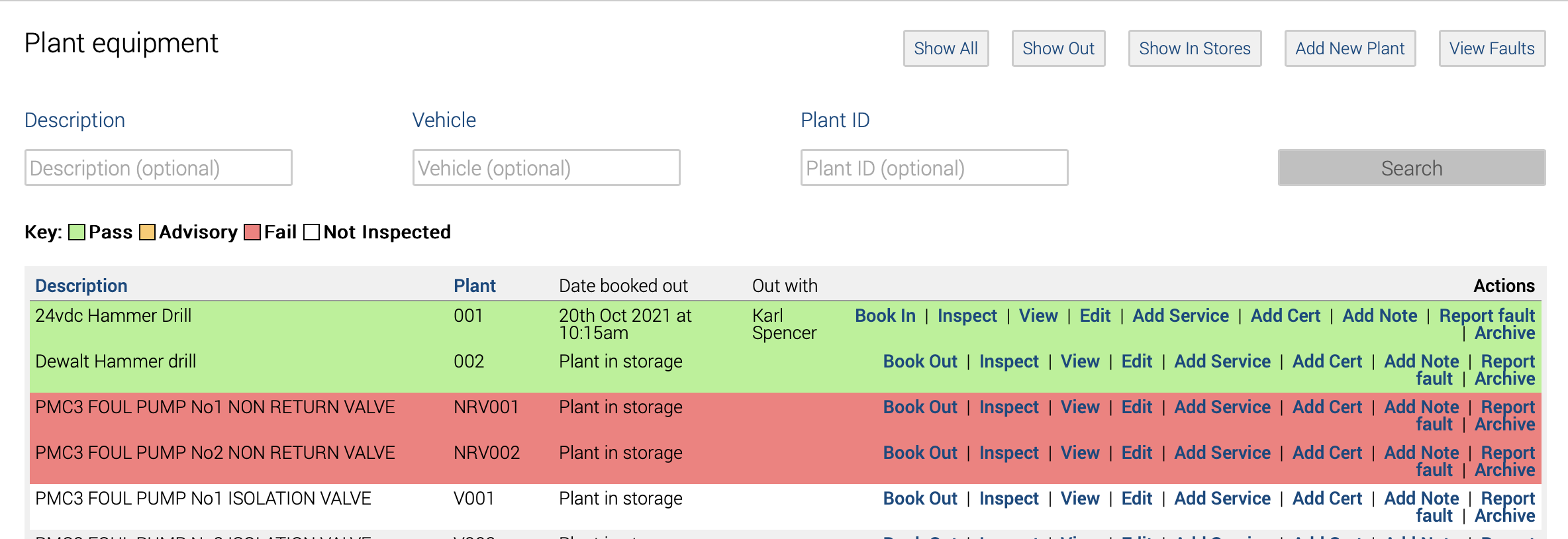
Add Plant
To add a new plant, click ‘Add New Plant.’
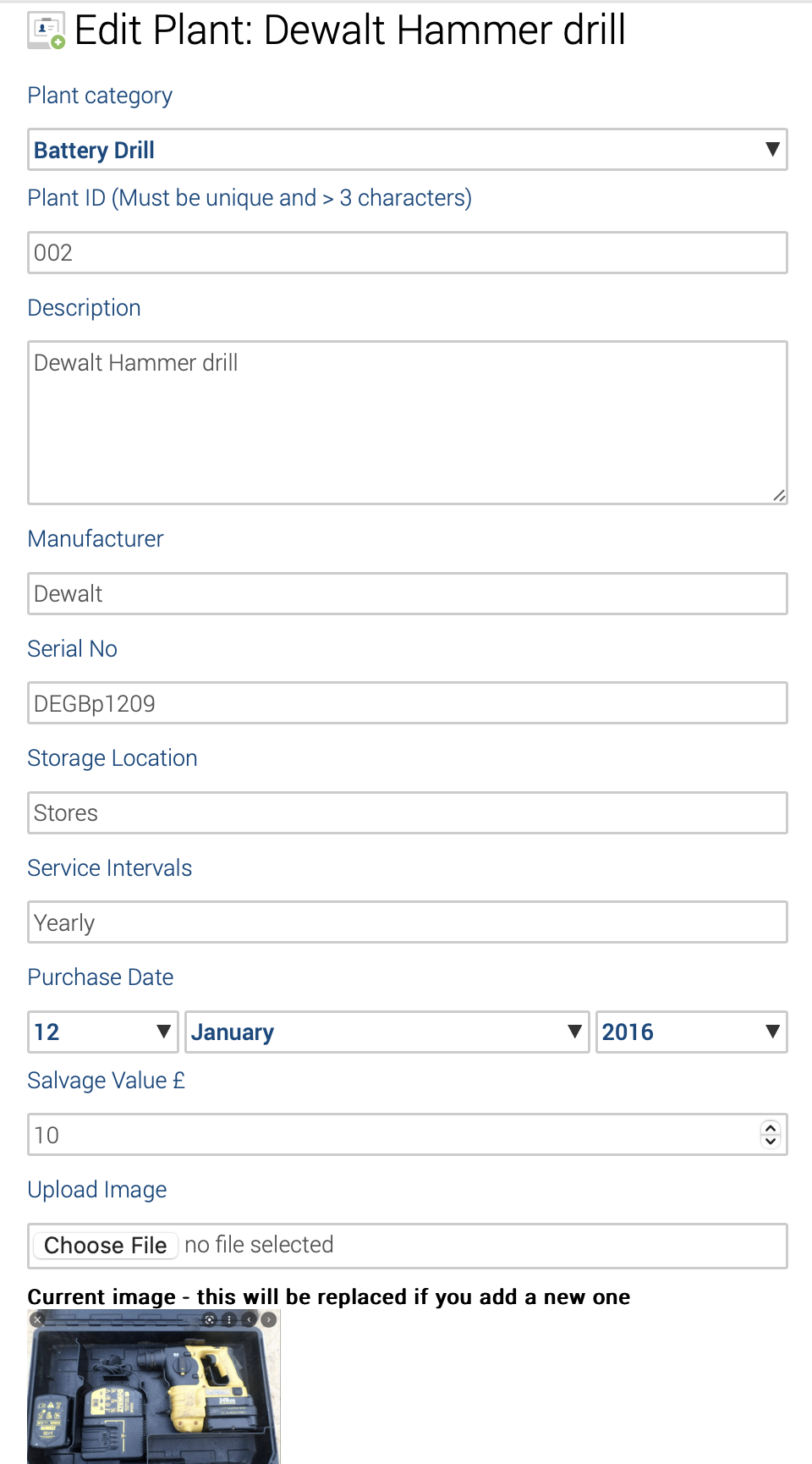
Ensure you select the correct category, which will determine the questions and checks listed under the inspection tool.
At the end of the section, add photos and manuals.
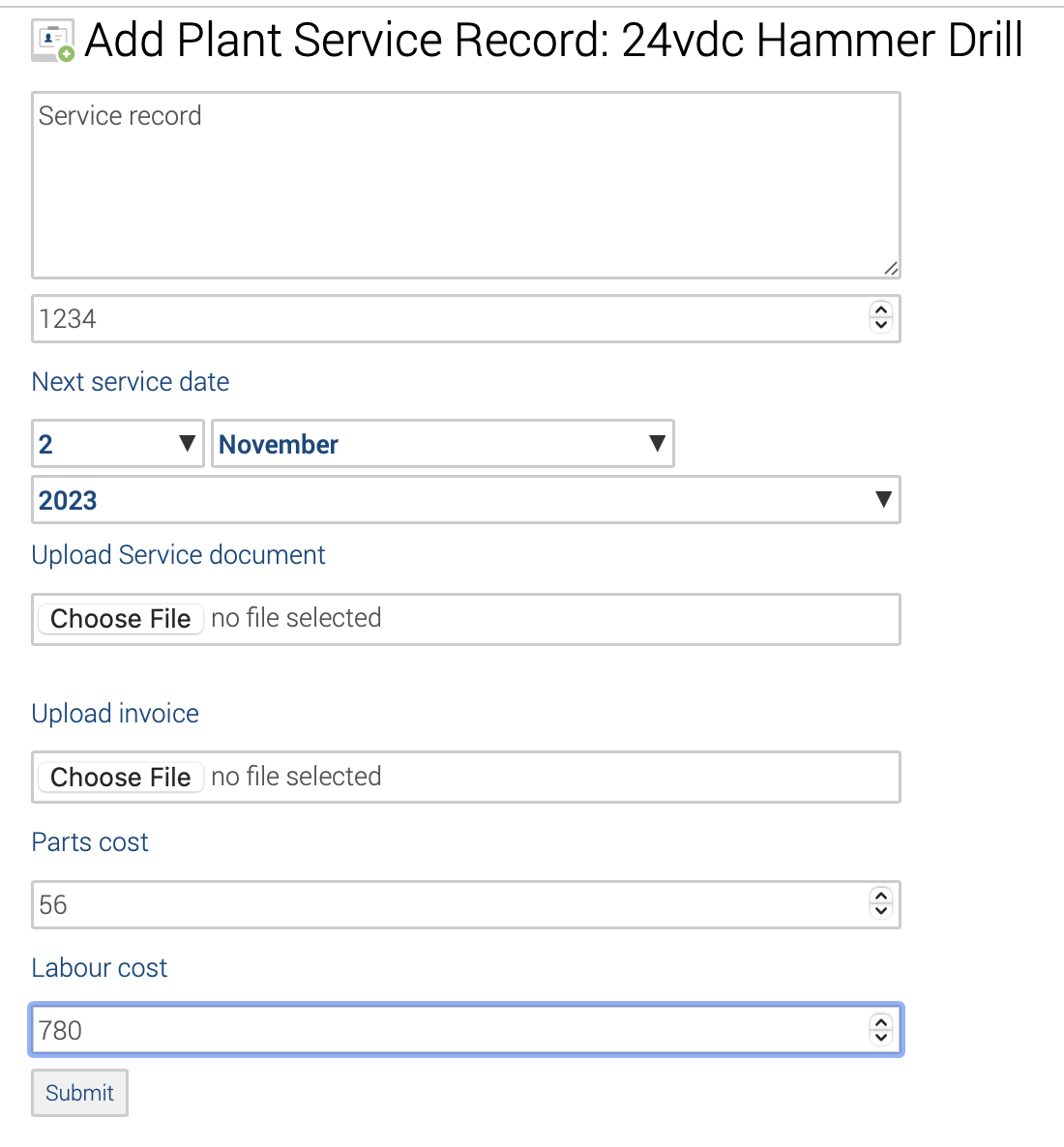
Add Plant Service Record
Follow the input boxes and uploads to complete the record adding.
Completing an inspection
The purpose of an inspection is to identify whether work equipment can be operated, adjusted and maintained safely, with any deterioration detected and remedied before it results in a health and safety risk. Not all work equipment needs formal inspection to ensure safety, and, in many cases, a quick visual check before use will be sufficient. However, inspection is necessary for any equipment where significant risks to health and safety may arise from incorrect installation, reinstallation, deterioration or other circumstances. The need for inspection and inspection frequencies should be determined through risk assessment.
Click ‘Inspect’ on the equipment needing to be inspected.
Follow the input boxes and uploads to complete the record adding.
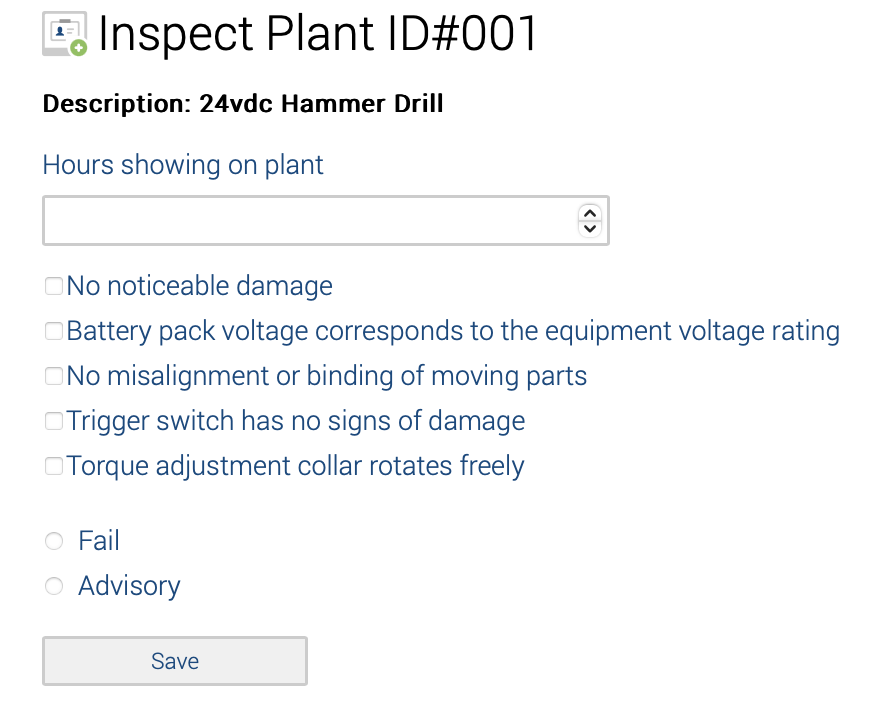
The Pass will only be revealed if all boxes are confirmed.
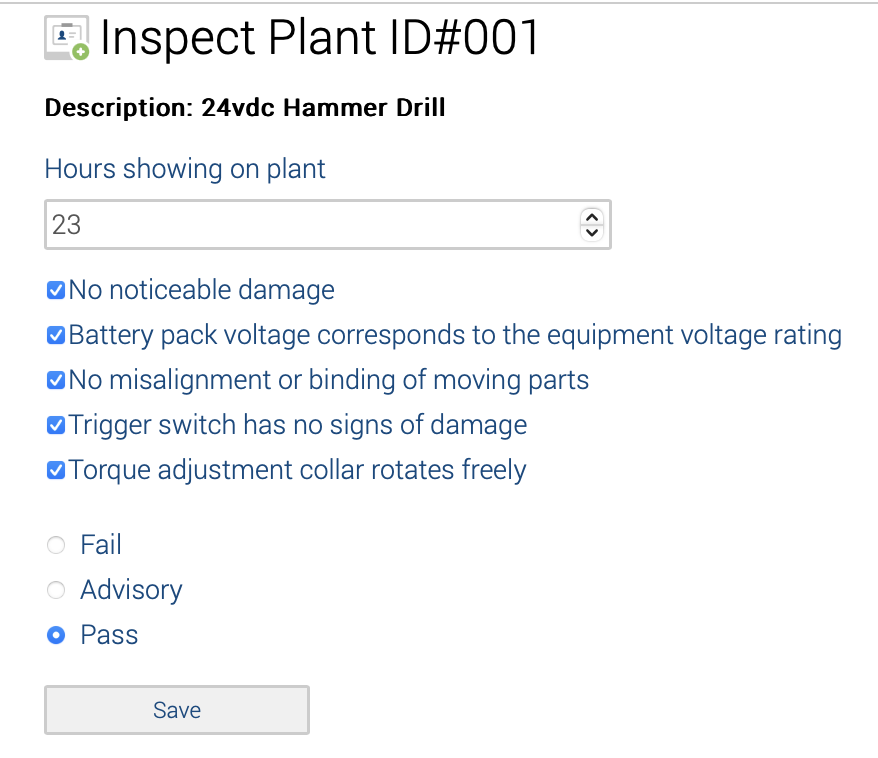
Click Save to save the inspection.
Based on the inspection selection being Fail, Advisory or Pass, the dashboard colours will change accordingly.
