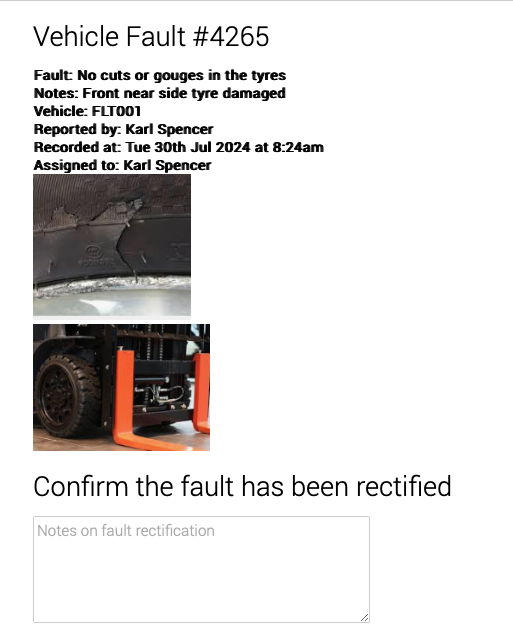
To manage your vehicle checks and defects, you need to
Assign a Transport Manager and Service Manager
Under ‘View Account’, add as required.
Click View account, and you will see the selections for:
- PPE Managers
- Transport Manager
- Service Manager
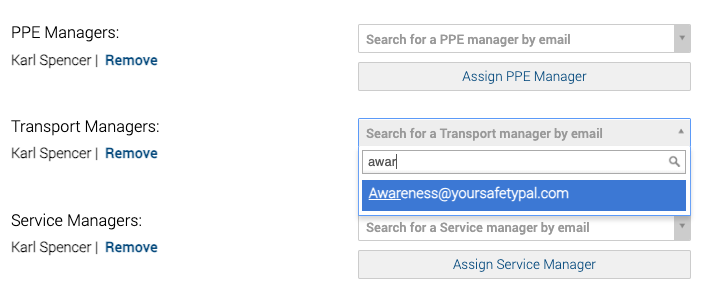
In the Search for. a Transport Manager or Search for a Service Manager box, simply enter the email or the person taking on this responsibility.
A list will show, select and save.
Feel empowered with the ability to add multiple members of your team to one selection. This flexibility is designed to make your job easier.
What the assigned person will receive
The assigned people will receive:
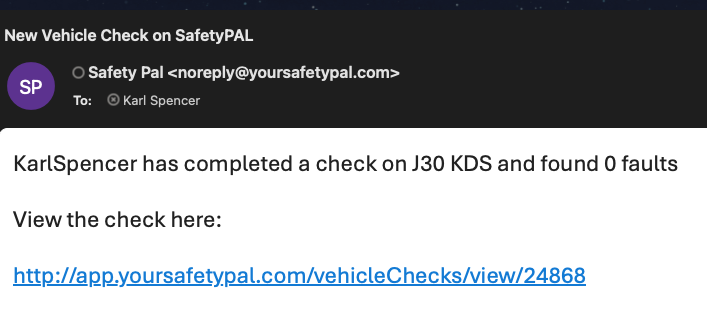
- Transport Manager
- An email confirming Vehicle X has been checked today. With a link to view the check.
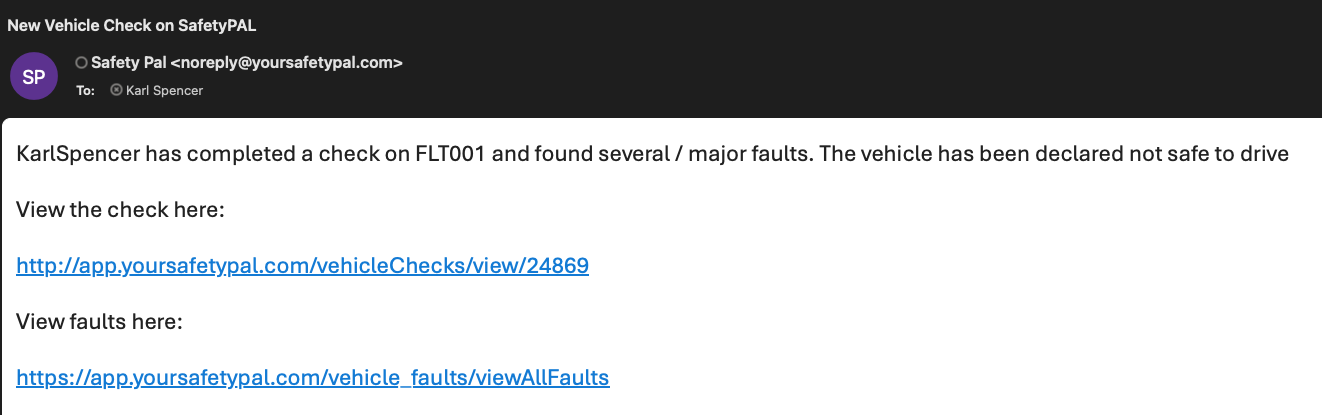
- Service Manager
- An email confirming a defect has been raised, with a link to view and follow up.
Viewing a Defect
Click the email link, and a list of all defects will show in your browser window.
Click the representing defect to see defect specifics.