
When adding Users to a Job, Safety PAL helps you check they have the relevant training to safely perform the task.
Click on Jobs from the left-hand menu to see the main Jobs page.
Find the relevant Job and click View on the actions on the right-hand side, and then View and Complete Job.
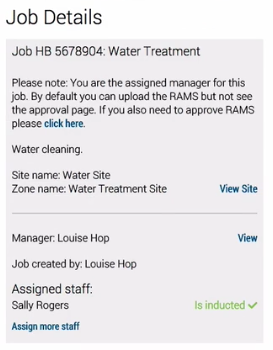
Click Assign Staff (sometimes Assign More Staff)
Type the first 3 letters of their email and Safety PAL will display the user.
You can assign a staff member as the Senior Authorised person by ticking the representing box.
Click the Add Staff Member button to finish.
Once you have added staff members, the member will be checked to see if their inductions are up to date.
If they are in date, then they will be green, if they need to complete an induction, an invite button will appear to send them the relevant induction.