
You are required by law to investigate individual risks in and around your workplace and add control measure individually, to fully ensure adequate measures are correct for the task.
You can edit all risks as your workplace or job changes. Use the edit facility to keep your risk up to date.
Edit Risks
From the left-hand menu, click Jobs and then under the job submenu click Add Risk to gain access to your risk database.
Scroll down the page to see a full list of all your risks.
All risks can be seen by all users.
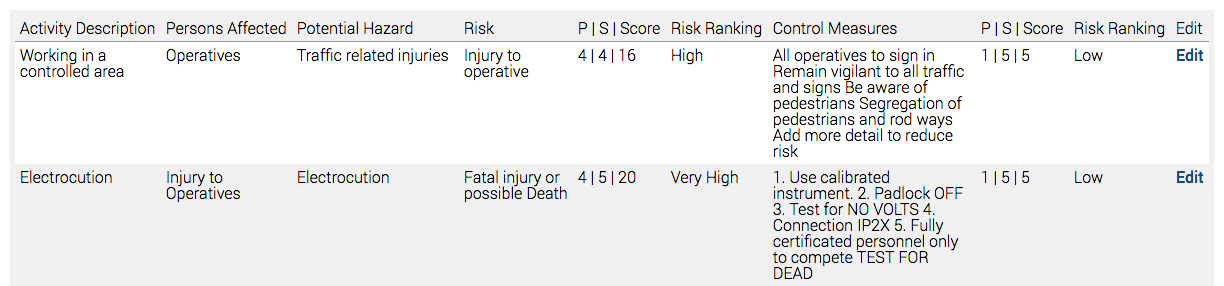
Pre-Control scores and ranking, Control Measures and Post-Control Scores can be seen.
If you wish to add further control measures to reduce your risk and update post control measure ranking, click Edit on the right-hand side.
See Adding Risks for further details on how add/edit further Control Measures.
When finished, click Update Risk to save.