
Any document can be distributed to your staff, this may be a Company Policy, COSHH Assessment, Recent Incident Report or a Wellbeing Alert detailing better dietary requirements – your choice!
Click Safety Alerts from the left-hand menu, then click Add Alert.
Tick the categories this effects. You can select multiple categories; each employee will only receive the alert based on their filter settings.
Give it a title, and we recommend a short description too.
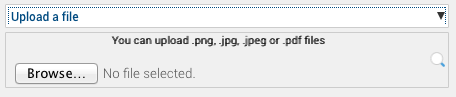
Either upload the document or the link to a webpage if it’s on the internet.
Please note: When you click to browse your computer, you will see the file types, which are acceptable to upload .
This is limited, to ensure all devices can open the file you have uploaded.
Select whether you want to send this to your employees, your suppliers, or everyone in Safety PAL (we recommend you anonymise any documents for this option).
Click Save Safety Alert.
Note: the safety alert you send can be configured under to be issued, not only to all employees but also to your list of suppliers and every individual user of Safety PAL.