
Safety PAL includes business performance indicators and data metrics.
Our designed monthly summery report is also a measurement of performance, measurements which relate to a specific strategic operations and reflect how successful the business is in achieving that goal.
A further huge benefit is that these performance indicators are available for measuring your supply chain performance, to ensure they are performing as good as can be expected.
Monthly Summary Report
From your user account dashboard under the report ‘Business Report” section, click your ‘Monthly Summary Report’ button as shown below.

You will be taken directly to the ‘Business Report’ page as shown below
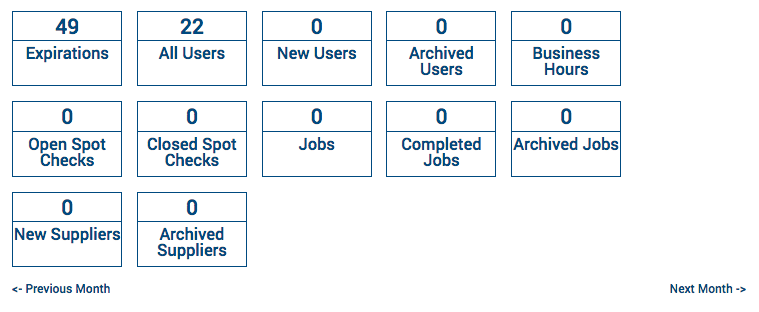
The 12 individual cells collate LIVE data from your Safety PAL account for the specific selected month (beginning to end) and displays the accumulated number above the cell label:
- Expiration’s
- The total number of business documents, workers training records, company insurance and equipment certificates which have expired (or due to expire before month end)
- All Users
- A combined number of active users in your account
- New Users
- The number of new users added
- Archived Users
- The number of archived users in your account
- Business Hours
- The total number of hours worked by all your account users
- Open Spot Checks
- Spot checks/work audits awaiting closure
- Closed Spot Checks
- Spot checks/work audits closed out
- Jobs
- Active jobs
- Completed Jobs
- The total number of Jobs completed
- Archived Jobs
- The total number of archived jobs
- New Suppliers
- The total number of new suppliers added
- Archived Suppliers
- The total number of suppliers archived
Use the ‘Previous Month’ and ‘Next Month’ buttons to access the different months data metrics.
Supplier Data Metrics Report
Click your on your supplier link from the left menu to access all your suppliers live performance data.
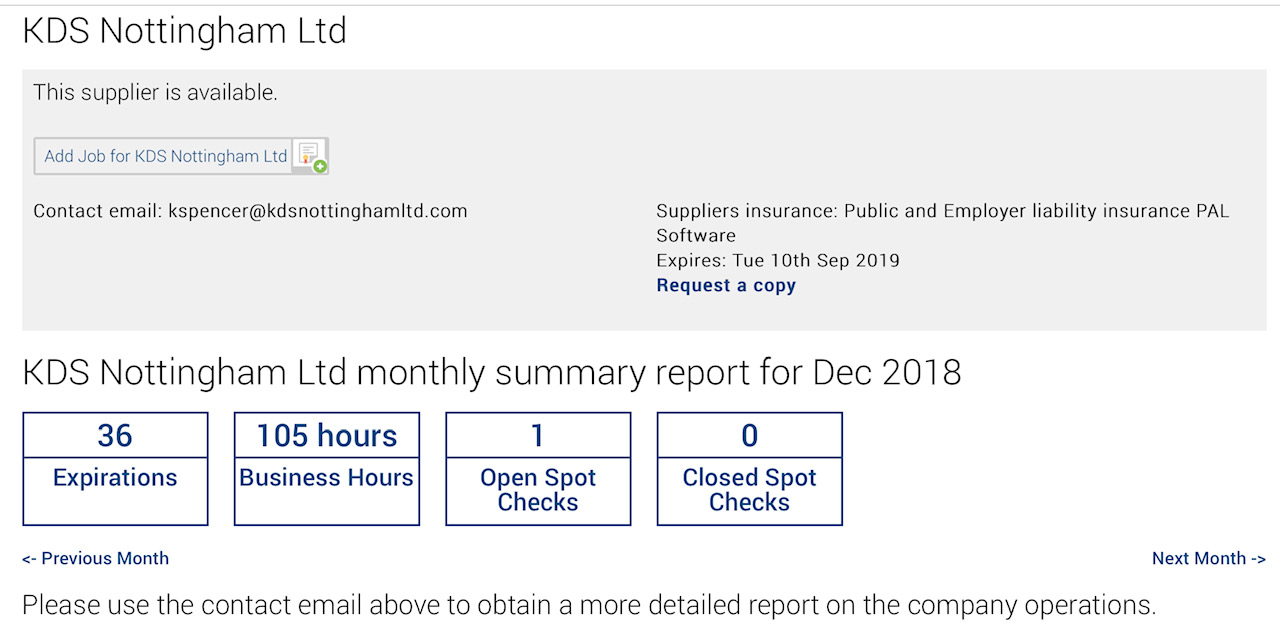
Below the supplier contact details and LIVE insurance data, you will see the number cells which relate to the specific data collated:
- Expiration’s
- The total number of business documents, workers training records, company insurance and equipment certificates which the supplier has expired (or due to expire before month end)
- Business Hours
- The total number of hours worked by your supplier
- Open Spot Checks
- Spot checks/work audits awaiting closure
- Closed Spot Checks
- Spot checks/work audits closed out
Use the ‘Previous Month’ and ‘Next Month’ buttons to access the different months supplier data metrics.
Other useful reports can be seen by clicking here