
With your documents uploaded, Job Managers can approve jobs ready to be undertaken.
Click on Jobs from the left-hand menu to see the main Jobs page.
Find the relevant Job and click View on the actions on the right-hand side, and then View and Complete Job.
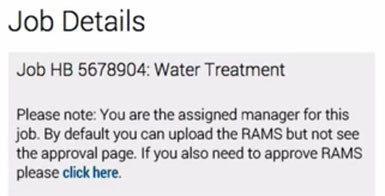
Where it states “If you also need to approve RAMS please click here”: click here.
Click View RA or View MS in order to review the document.
Click Accept or Reject.
Add Notes
The manager has the option to add notes to the approval/disapproval process. Adding notes is imperative in order to create a full audit trail.
Safety PAL creates version numbers for ease of review.
Once you have added your notes, click Approve, and Safety PAL will add the notes and approval – disapproval to the job control page and audit trail.
Disapproved?
If documents are disapproved, then you will need to repeat this process until full approval has been completed.
Job Completed and Permit Issued
Only when full approvals have been completed, will Safety PAL release the Permit to Work (PTW).
When your assigned workers next log in to Safety PAL, they will be given the option to sign in to this job.