
When the user has taken the safety test, view results under their individual profile.
Click Users in the left-hand menu, find the User you want to inspect and click View on the right-hand side.
This panel will appear on their profile:

Name and attempted on dates are clearly detailed
Name
Details the name of the safety video
Attempted on
Shows the date when the user attempted or completed the induction.
Note: This date is cloud-based time and cannot be altered by the user if they alter the time on their phone, tablet or PC
Result
Simple Pass or fail or shown. Passes or failures are based on the setting under each media file end section.
Expires on
The date based on the test took the date and the expiry date, which was set in the settings under each media file end section.
View
Click to see the users performance
Users’ Performance
It’s quite common to see a user’s very first test will be a fail. They may not have been paying close enough attention, not realising there will be questions afterwards.
The second attempt can also commonly be a failure, as the users think “I know the questions now”, but as Safety PAL randomises the questions, the users are surprised.
The third attempt, you may notice, the user is taking a little more time as they now understand the importance of the test.
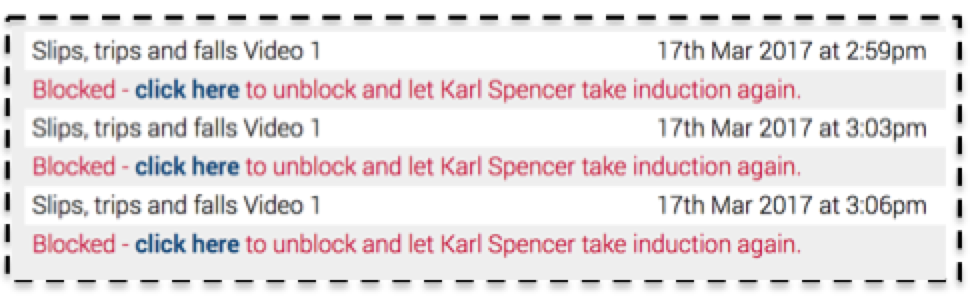
In this case, if the user fails all 3 attempts (set by the video parameters), then this user will be locked out and requires a manager to review before unlocking.
Their manager will be notified of the multiple failures and then with the employee present, the manager must review the answers and discuss further with the employee. Once the manager is ok with the review, they can unlock the user to complete a further attempt.