
Using media files really engages with your workforce; replace standard lengthy paper-based documents with short engaging content. You can upload as many media files as you require. You shouldn’t limit safety, so we don’t limit your content.
Uploading a Video
Click Inductions for the left-hand menu, and the Add New Induction button at the top of the Inductions page.
Title your induction, then click Choose File to upload your video.
Add Questions
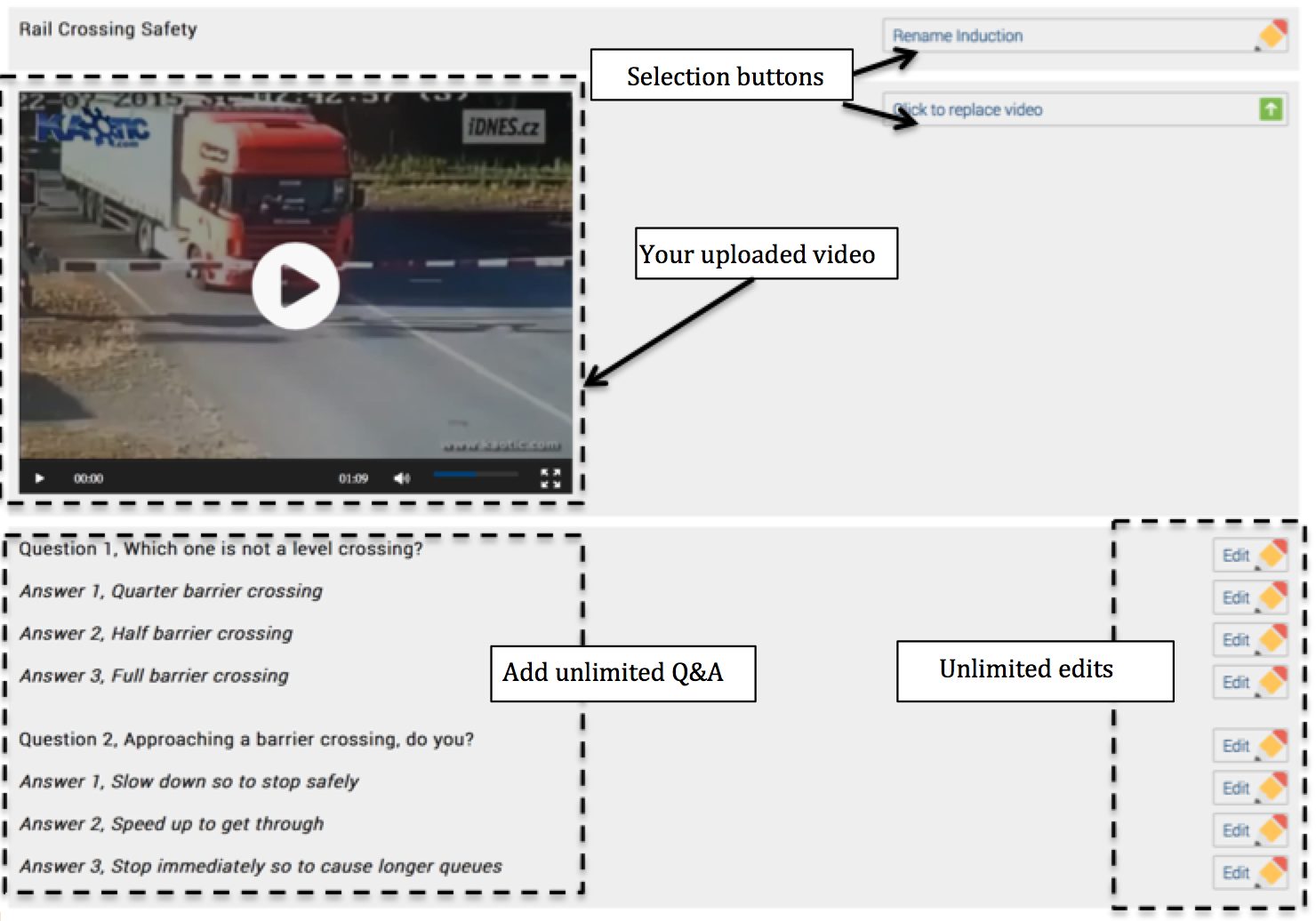
Once uploaded you are able to add individual questions, each question has 3 multiple-choice questions, remember to tick the correct answer. You can always edit later.
You can add as many Questions & Answer as required, but you must add a minimum of 3 questions in order to ensure your workers fully understand the test.
Tip: always add a random question – this ensures your audience is really watching and listening, i.e. “what colour was the woman’s jumper?”
Setting Induction Parameters
Setting individual parameters, allows you to really make the video and questions fit your industry, see below.
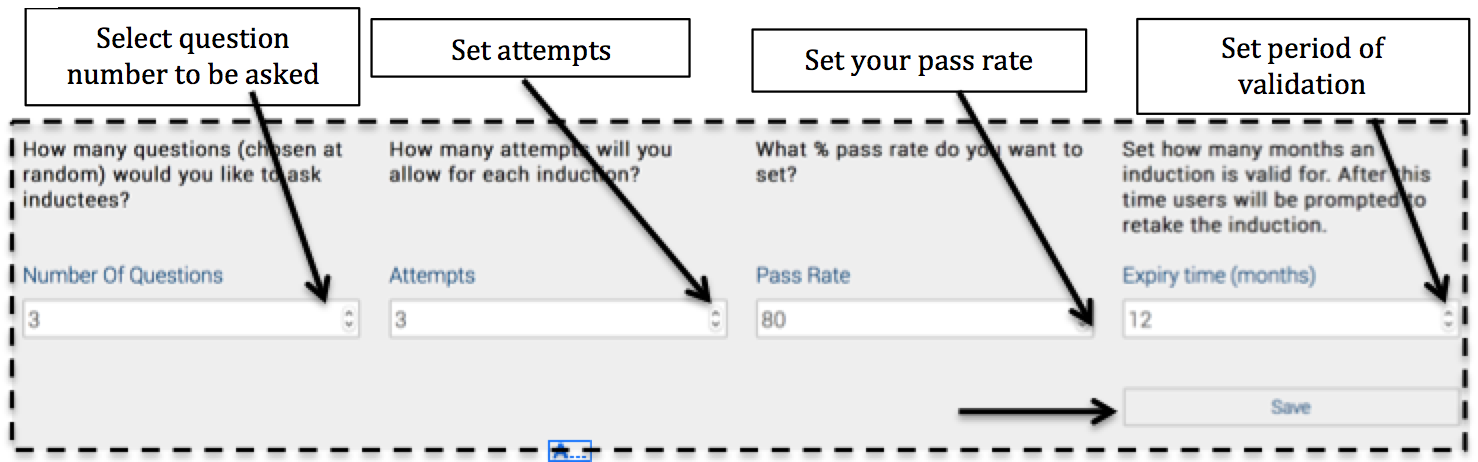
Safety PAL will automatically email the workers 60 day before the expiry time. Safety PAL will also inhibit users from signing into jobs if the safety videos are incomplete or out of date.